Class-based views:
Django provides really powerful tools to use OOP and classes to define views. The CBV offers great functionality and for most experienced users of Django, it is their default choice for creating views.
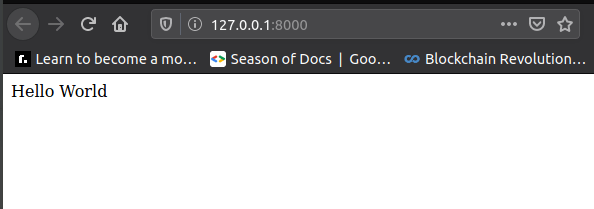
Hello world Class Based View app
1.Template views :
We need to add in a .as_view() call off the class, this is an inherited method from the View
Function Based View
def index(request):
return render(request,'index.html')

Class Based Template View
 class IndexView(TemplateView):
template_name = 'index.html'
2.Class vs function views :
Original Function View:
#
# def index(request):
#     return render(request,'index.html')

class IndexView(TemplateView):
    # Just set this Class Object Attribute to the template page.
    # template_name = 'app_name/site.html'
    template_name = 'index.html'
Now in urls.py, we need to use .as_view()
#function view
path(' 'views.index)

#class view
path(' ',views.IndexView.as_view())
Class based methods to help you :
get_context_data(**kwargs): Returns a dictionary representing the template context. The keyword arguments provided will make up the returned context. Example usage in views.py file
class IndexView(TemplateView):
    # Just set this Class Object Attribute to the template page.
    # template_name = 'app_name/site.html'
    template_name = 'index.html'

    def get_context_data(self,**kwargs):
        context  = super().get_context_data(**kwargs)
        context['injectme'] = "Basic Injection!"
        return context
Detail and List View :
Often when we have models, we want to either list the records from the model, or show details of a single record.So common that Django has some generic view classes you can inherit to very quickly display information from your model.
They return class as class_list context dictionary or you could use
context_object_name='word followed by _ list'
An example views.py file,
from django.views.generic import (View,TemplateView,
                                ListView,DetailView)

class SchoolListView(ListView):
    # If you don't pass in this attribute,
    # Django will auto create a context name
    # for you with object_list!
    # Default would be 'school_list'

    # Example of making your own:
    # context_object_name = 'schools'
    model = models.School


class SchoolDetailView(DetailView):
    context_object_name = 'school_details'
    model = models.School
    template_name = 'basic_app/school_detail.html'
school list html file
{% extends "basic_app/basic_app_base.html" %}
{% block body_block %}
  <div class="jumbotron">

    <h1>Welcome to the List of Schools Page!</h1>
      <ol>
        {% for school in school_list %}
          <h2><li><a href="{{school.id}}/">{{school.name}} </a></li></h2>
        {% endfor %}
      </ol>

  </div>


{% endblock %}
school detail html file
{% extends "basic_app/basic_app_base.html" %}
{% block body_block %}
  <div class="Sjumbotron">
    <h1>Welcome to the School Detail Page</h1>
    <h2>School Details:</h2>
    <p>Id_num: {{school_details.id}}</p>
    <p>Name: {{school_details.name}}</p>
    <p>Principal: {{school_details.principal}}</p>
    <p>Location: {{school_details.location}}</p>
    <h3>Students:</h3>

      {% for student in school_details.students.all %}
        <p>{{student.name}} who is {{student.age}} years old.</p>
      {% endfor %}

  </div>

{% endblock %}
Settings up app_name in urls.py file is really important, as it helps during injection of content into HTML files
Now we can also set up primary keys in the fields and access information based on a particular primary key similar like regular expressions
path('<int:pk>/',views.SchoolDetailView.as_view(),name='detail'),
CRUD functionality :

Django has class based views to simplify this entire process for you!
There will be a lot of interaction between your urls.py, views.py, models.py, and template files!there will be a lot of interaction between your urls.py, views.py, models.py, and template files!
The modified views.py, use1.def get_absolute_url(self): it tells django to go to a view after any crud functions is performed :
from django.db import models
from django.urls import revers

# Create your models here.
class School(models.Model):
    name = models.CharField(max_length=256)
    principal = models.CharField(max_length=256)
    location = models.CharField(max_length=256)

    def __str__(self):
        return self.name

    def get_absolute_url(self):
        return reverse("basic_app:detail",kwargs={'pk':self.pk})

class Student(models.Model):
    name = models.CharField(max_length=256)
    age = models.PositiveIntegerField()
    school = models.ForeignKey(School,related_name='students',on_delete=models.CASCADE)

    def __str__(self):
        return self.name
- create: specify the fields user can create and model
- update: specify the fields user can modify and model
- delete: specify the sucess url and model
success url means once you have deleted the models, go to that url. WE use reverse_lazy as we only want to go back to url after it has sucessfuly been deleted
views.py file,
from django.shortcuts import render
from django.urls import reverse_lazy
from django.http import HttpResponse
from django.views.generic import (View,TemplateView,ListView,DetailView,                               CreateView,DeleteView,                       UpdateView)

class IndexView(TemplateView):
    # Just set this Class Object Attribute to the template page.
    # template_name = 'app_name/site.html'
    template_name = 'index.html'

    def get_context_data(self,**kwargs):
        context  = super().get_context_data(**kwargs)
        context['injectme'] = "Basic Injection!"
        return context

class SchoolListView(ListView):
    # If you don't pass in this attribute,
    # Django will auto create a context name
    # for you with object_list!
    # Default would be 'school_list'

    # Example of making your own:
    # context_object_name = 'schools'
    model = models.School


class SchoolDetailView(DetailView):
    context_object_name = 'school_details'
    model = models.School
    template_name = 'basic_app/school_detail.html'


class SchoolCreateView(CreateView):
    fields = ("name","principal","location")
    model = models.School


class SchoolUpdateView(UpdateView):
    fields = ("name","principal")
    model = models.School

class SchoolDeleteView(DeleteView):
    model = models.School
    success_url = reverse_lazy("basic_app:list")
urls.py file
from django.urls import path
from . import views

app_name = 'basic_app'

urlpatterns = [
    path('',views.SchoolListView.as_view(),name='list'),
    path('<int:pk>/',views.SchoolDetailView.as_view(),name='detail'),
    path('create/',views.SchoolCreateView.as_view(),name='create'),
    path('update/<int:pk>/',views.SchoolUpdateView.as_view(),name='update'),
    path('delete/<int:pk>/',views.SchoolDeleteView.as_view(),name='delete')
]
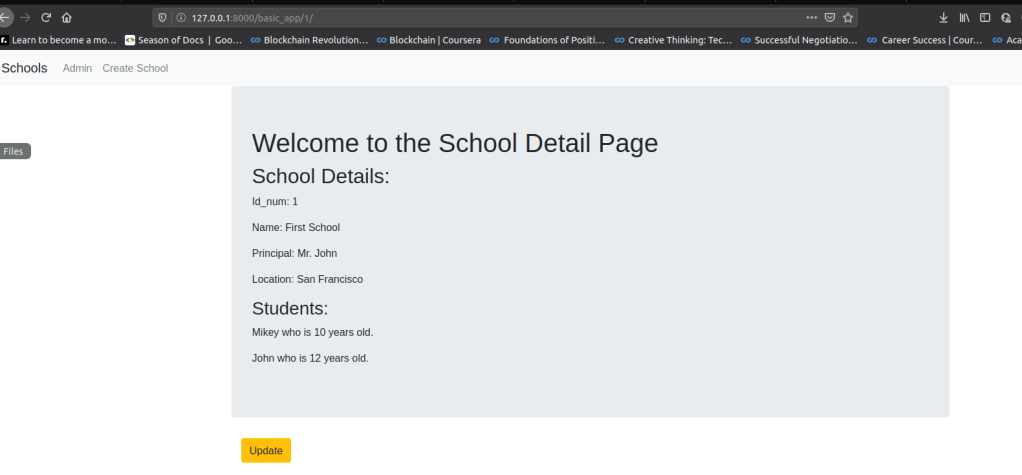
It should look similar to this,

Using primary keys to access values of particular instance or object of the class
Debug toolbar :
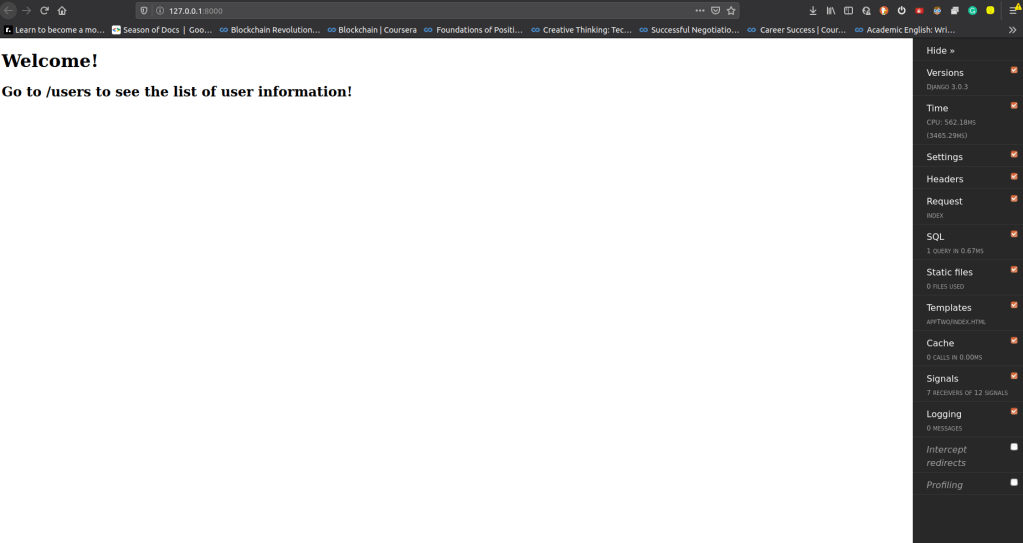
Firstly install django-debug -toolbar, then add it into project settings.py file

Then we will got into urls.py, add settings .Debug into url paterns
from django.contrib import admin
from django.urls import path, include
from appTwo import views
from django.conf import settings

urlpatterns = [
    path('', include('appTwo.urls')),
    path('admin/', admin.site.urls),
]

if settings.DEBUG:
    import debug_toolbar
    urlpatterns=[
        path('debug/',include(debug_toolbar.urls))
    ] +urlpatterns
After this we will go back into settings.py file in project folder
Then finally we hace to declare internal_ips

Customizing Admin interface :
We have created simple app for videos , the admin interface will look like
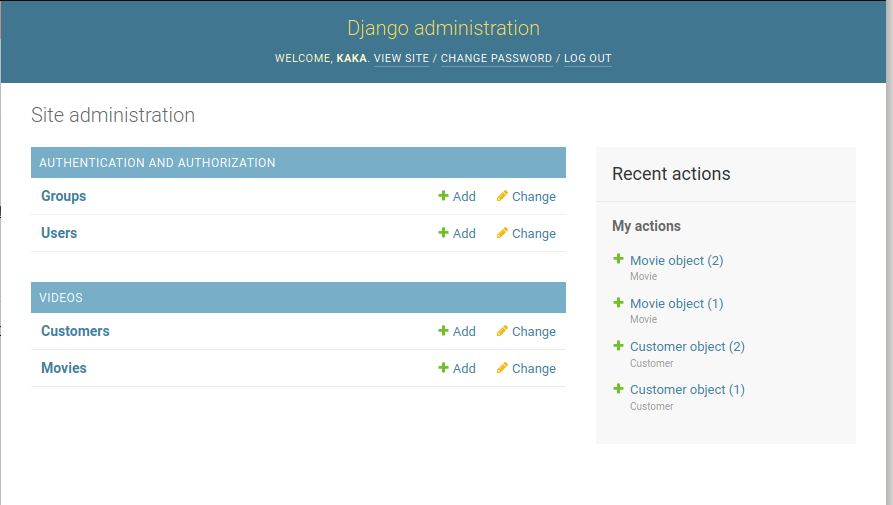
Now instead of showing object numbers it’s showing different data if we modify the models.py in the app
class Customer(models.Model):
    first_name=models.CharField(max_length=256)
    last_name=models.CharField(max_length=256)
    phone=models.PositiveIntegerField()

    def __str__(self):
        return self.first_name+' '+ self.last_name
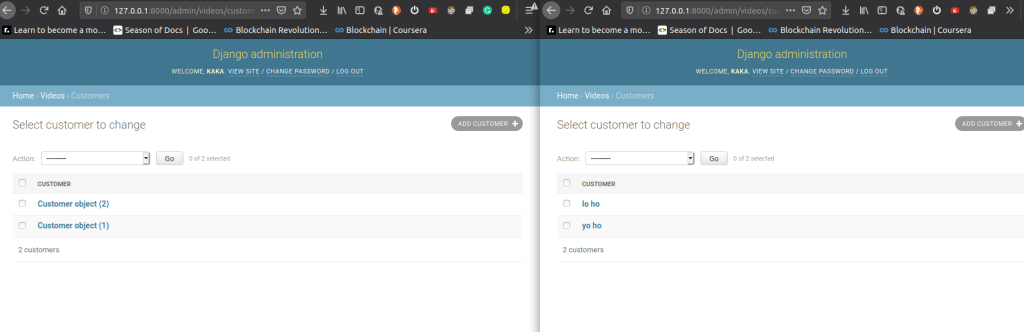
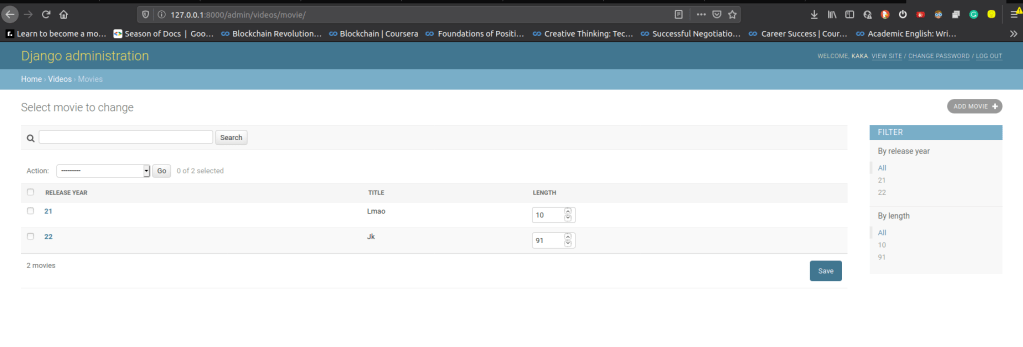
We can modify
- admin’s base html page
- order of fields
- adding search bar
- add filters
- allowing editable list view
- adding fields
from django.contrib import admin

# Register your models here.
from . import models
class MovieAdmin(admin.ModelAdmin):
    fields=['release_year','title','length']

    search_fields=['title']

    list_filter=['release_year','length']

    list_display=['release_year','title','length']

    list_editable=['length']


admin.site.register(models.Customer)
admin.site.register(models.Movie,MovieAdmin)
For more information,
- https://docs.djangoproject.com/en/3.0/
- https://developer.mozilla.org/en-US/docs/Learn/Server-side/Django/Introduction
For checking out actual code for all these examples, check my GitHub repositories
- Basic coding example, each folder has a specific demo which can be found in their commits.
- Advanced Django projects, which involve CSS + JS +Media.

 Programmer Prodigy